Shopping for Best All In One Computers can feel like scrolling through a dozen nearly identical boxes with specs that all sound the same. You want a screen, a computer, and a keyboard that work together without eating up your whole desk. Knowing which details actually matter makes the choice a lot easier, especially when you compare Windows desktop computers side by side.
If you mostly browse, stream, and handle email, the 24-inch Lenovo model with Windows 11 Pro gives you room to grow. If you run heavier multitasking or want a bigger screen, the Lenovo IdeaCentre 27-inch with a 13th Gen Intel Core i7 is the one to look at. Students and budget-minded home offices will find the 8GB Lenovo IdeaCentre and the HP 21.5-inch model covered for daily tasks.
How These Five Models Stack Up on Core Specs

Pros
- Streamline Workspace With Slim AIO Form Factor
- Upgrade Memory To 32GB For Future Demands
- Expand Storage With 512GB External Drive
- Connect Wirelessly Using Wi-Fi 6 And Bluetooth 5.2
- Enjoy Full HD Visuals At 250 Nits Brightness
Cons
- Small Built-In SSD Only 128GB
- Lacks Touchscreen Capability For Interactive Use
Expand details⌄
Detailed Review
This compact all-in-one desktop from Lenovo combines a 23.8‑inch Full HD IPS display with an Intel N100 quad‑core processor and 16GB of RAM, delivering smooth performance for office work, video calls and browsing. The system includes 640GB of total storage—128 GB SSD on board and a 512 GB external drive—providing ample space for files, apps and media and room for future upgrades up to 32 GB RAM and a 1 TB SSD.
The workstation is equipped with Wi‑Fi 6, Bluetooth 5.2, Ethernet and a full suite of ports, including USB‑A 2.0, USB‑A 3.2 Gen 2, HDMI‑out 1.4b and a headphone/mic combo, ensuring reliable connectivity for peripherals and networks. Windows 11 Professional preinstalled adds business‑grade features and security, while the integrated TPM 2.0 chip and Kensington lock protect data and hardware. The included WOWPC wireless keyboard and mouse (UK layout) complete the tidy, space‑saving setup.
At roughly 4.3 kg and dimensions of 539.3 × 185 × 422.78 mm, the unit fits on a typical desk for daily use. The 250‑nit, 99% sRGB display offers clear visuals for work and entertainment without a touchscreen, and the HD camera with mono microphone supports video calls. For buyers who value a clean desk and the ability to upgrade performance later, this model suits those needs.

Pros
- Edit Large Files Quickly With Ten Core CPU
- Play Games Smoothly With 100Hz Refresh Rate
- Store Massive Libraries Using 4TB SSD
- Connect Wirelessly With WiFi 6 And Bluetooth 5.2
- Video Call Clearly With 5MP IR Camera
Cons
- Limited To Only 1 Year Warranty
- No Optical Drive Included For Media
Expand details⌄
Detailed Review
The IdeaCentre’s 27‑inch 100 Hz panel and ten‑core i7 let it handle heavy multitasking while staying thin. The processor’s 2.4 GHz base and 4.9 GHz turbo boost, paired with 16 GB DDR5, keep demanding apps running smoothly, and the high‑refresh display ensures fluid video and reduced eye strain. The 99 % sRGB gamut and anti‑glare coating improve visual comfort.
Connectivity is built for modern workflows, with Wi‑Fi 6 and Bluetooth 5.2 delivering fast links to peripherals and the internet. USB‑C and HDMI‑in/out ports let the system act as a media hub, while a 5 MP IR camera with a shutter and dual microphones supports secure video calls. HARMAN‑tuned speakers provide clear, balanced audio.
The all‑in‑one design fits a full desktop into a 24″ × 7.5″ × 18.6″ chassis that weighs 15.6 lb, freeing desk space for a tidy home office. The lack of an optical drive saves weight and matches today’s digital habits. However, the one‑year limited warranty may need extension for business use. Overall, the powerful CPU, vibrant display, and versatile ports make this unit ideal for users who want a sleek, capable system without separate components.
Pros
- Browse Websites Smoothly With 8GB DDR5 RAM
- Edit Documents Quickly With 512GB SSD
- Video Call With HD Camera And Microphone
- Connect Multiple Displays Via HDMI With 23.8\" FHD
- Secure Data With Firmware TPM 2.0
Cons
- Missing Built-in Card Reader Available
- Limited to Single HDMI Output
Expand details⌄
Detailed Review
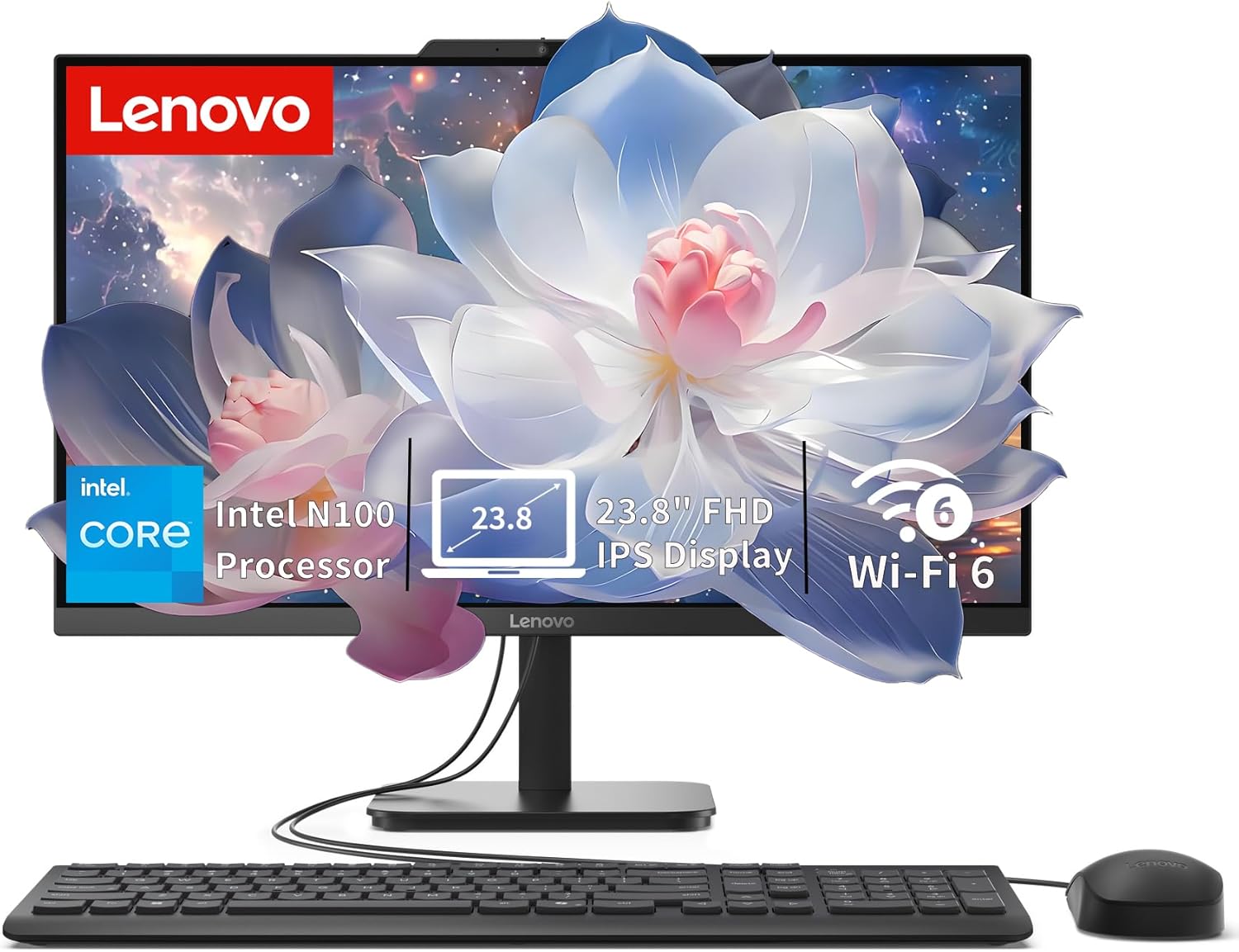
The Lenovo IdeaCentre All-in-One Desktop squeezes a full‑featured office workstation into a 24‑inch slab that fits on a typical desk, delivering everyday performance with the Intel N100 processor and integrated Intel UHD Graphics. The 23.8‑inch FHD IPS anti‑glare panel provides clear detail for spreadsheets and documents, while 250 nits brightness and 99% sRGB coverage keep colors accurate throughout the day.
Eighth‑generation DDR5 memory and a 512GB PCIe NVMe SSD give snappy multitasking and rapid boot times, supporting productivity tasks from web browsing to document editing. Dual 2W speakers, an HD camera and mono microphone enable clear video calls, and the system can be upgraded to 32GB RAM for future workloads.
Modern connectivity is handled by Wi‑Fi 6, Bluetooth 5.2, Gigabit Ethernet and a suite of USB ports, including HDMI‑out for external displays. Firmware TPM 2.0 and a Kensington security slot protect data, while Windows 11 Home provides a stable platform for home office or study routines. The compact AIO design saves desk space without sacrificing essential features.
Pros
- Work Seamlessly With Intel N100 Processor
- Store Large Files Quickly Via PCIe 4.0 SSD
- View Bright Details On 23.8" FHD Anti-Glare Display
- Connect Wirelessly Using Wi-Fi 6 And Bluetooth 5.2
- Join Calls With Integrated HD Camera And Speakers
Cons
- Limited to 1-year coverage on non-upgraded parts
- Display resolution may not suit color-critical work
Expand details⌄
Detailed Review
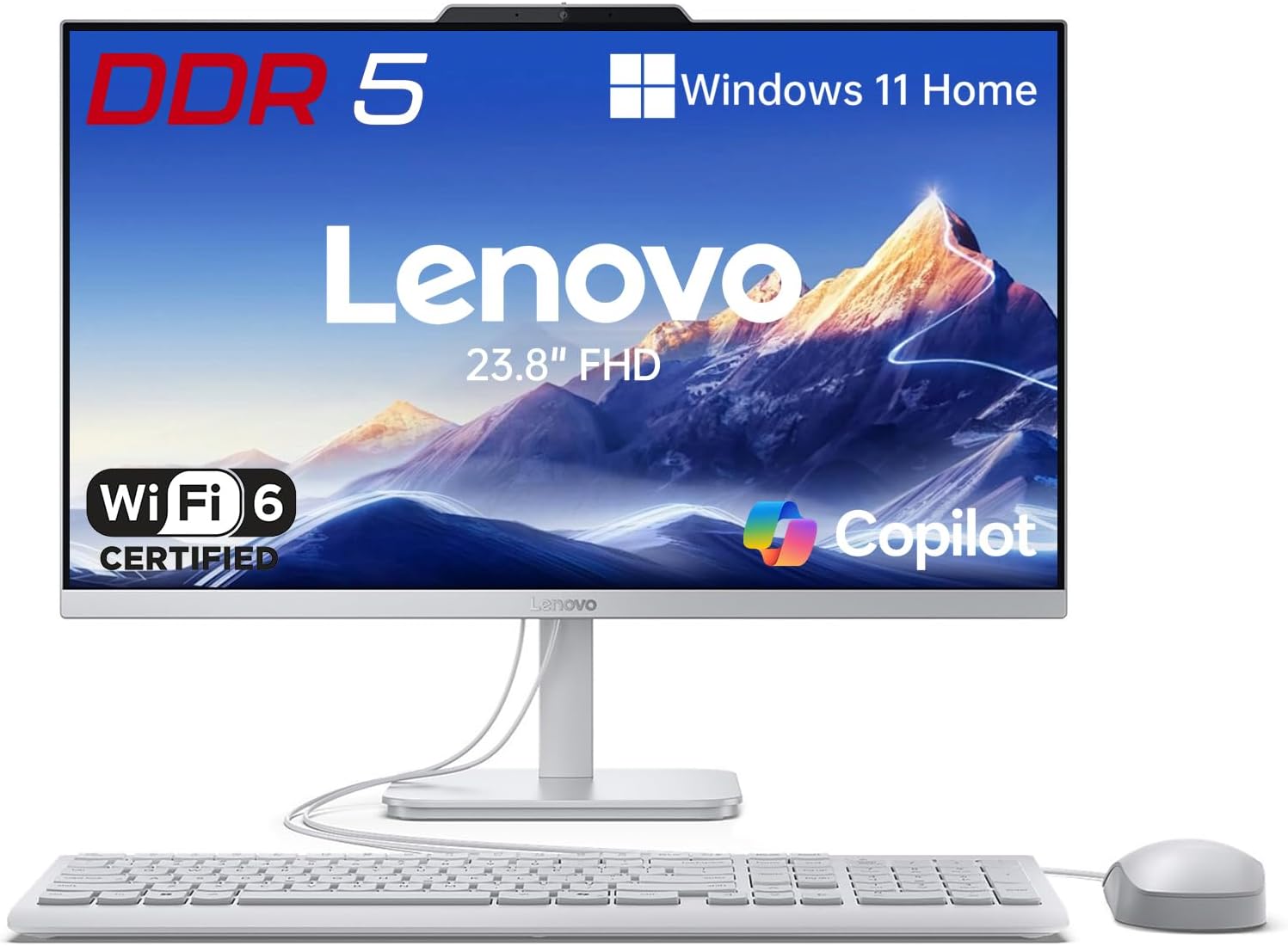
The desktop ships with the original seal broken solely for a professional RAM and SSD upgrade backed by a three‑year warranty from PCOnline. This arrangement gives the buyer confidence that the memory and storage will remain reliable for the long term, reducing the risk of premature failure in a home office environment.
Powered by an Intel N100 quad‑core processor clocked up to 3.4 GHz, paired with up to 32 GB of DDR5 memory and a 1 TB PCIe 4.0 NVMe SSD, the desktop handles office productivity, web browsing and online learning without hesitation. The 23.8‑inch Full HD anti‑glare panel delivers sharp visuals at 1920×1080, 99 % sRGB accuracy and 250 nits brightness, making long work sessions comfortable and media playback enjoyable.
All‑in‑one convenience is reinforced by Wi‑Fi 6, Bluetooth 5.2 and a Gigabit Ethernet port, ensuring fast wireless and wired network connections. The versatile I/O suite includes USB 3.2 Gen 2, USB 2.0, HDMI‑out and a combo audio jack, while an integrated HD camera, mono microphone and dual 2 W stereo speakers support virtual meetings without extra hardware. The Cloud Grey chassis with a tilt‑adjustable stand and included USB keyboard and mouse keeps the desk tidy, making the system well‑suited for small business spaces and home offices that value organization.

Pros
- Multitask Smoothly With 8GB DDR5 RAM
- View Crisp Details On 21.5\\" FHD Display
- Connect All Devices Via USB-C HDMI Ports
- Store More Data Using Docking Station Storage
- Work Quickly On Windows 11 Home OS
Cons
- Limited RAM For Heavy Workloads
- Modest Intel N100 Processing Power
Expand details⌄
Detailed Review
The HP 21.5\\" FHD All-in-One Desktop is built for everyday home office tasks, pairing an Intel N100 quad‑core processor with 8\u202fGB of DDR5 memory and 384\u202fGB of storage split between an SSD and a docking station. The anti‑glare VA display delivers clear text and media, while the adjustable stand allows a comfortable viewing angle. This configuration suits routine computing and light multitasking.
The extensive port selection and connectivity options enhance workflow flexibility. One USB‑C 3.1, two USB‑A 2.0, two USB‑A 3.0, Ethernet, HDMI, and a headphone/microphone combo jack let peripherals attach without adapters. Wi‑Fi\u202f6 and Bluetooth provide wireless access, while the front‑facing 720p camera and DTS‑tuned speakers support video calls and entertainment. The 8‑in‑1 docking hub adds a storage expansion path for additional drives.
The system’s 8\u202fGB of RAM may become a bottleneck for demanding applications, and the Intel N100 offers modest processing power suited for basic tasks rather than intensive workloads. Storage is divided, so the SSD handles the operating system while the docking station provides extra space. Overall, the desktop is built for casual users who value simplicity and expandability.
Side-by-Side Specs for Each All-in-One Desktop
The processors split this lineup into two clear groups, which helps if you’re comparing compact desktop PC options for a crowded workspace. Four of the five use the Intel N100, which handles web browsing, documents, and video calls comfortably, while the 27-inch IdeaCentre runs a 13th Gen Core i7 for heavier work.
Memory and storage show where you can grow later. The Lenovo 24-inch and the PCOnline unit both allow up to 32GB of RAM, while the 27-inch model reaches 64GB and up to 4TB of SSD storage.
| Product | Processor | Memory | Storage | Display | Operating System |
|---|---|---|---|---|---|
| Lenovo AIO N100 | Intel N100 | Up to 32GB upgrade | 640GB, upgradable to 1TB | 23.8in Full HD | Windows 11 Pro |
| Lenovo IdeaCentre 27 | Intel Core i7-13620H | Up to 64GB DDR5 | Up to 4TB PCIe SSD | 27in FHD, 100Hz | Windows 11 Pro |
| Lenovo IdeaCentre AIO | Intel N100 | 8GB DDR5, up to 32GB | 512GB PCIe SSD | 23.8in FHD, 250 nits | Windows 11 Home |
| PCOnline Lenovo AIO | Intel N100 | Up to 32GB DDR5 | Up to 1TB PCIe 4.0 | 23.8in FHD, 250 nits | — |
| HP 21.5 AIO | Intel N100 | Up to 32GB DDR5 | Up to 640GB | 21.5in FHD, VA | Windows 11 Home |
Four Factors That Decide Which Desktop Fits Your Desk
Most of these machines look alike on paper, so a few specs will tell you more than the rest. For a wider view of prebuilt desktop computers roundup, compare these models side by side. Focus on the processor, memory, storage, and screen, and you’ll quickly see which model matches your day.
Processor: Match the Chip to Your Workload
The Intel N100 is a solid choice when you mostly handle email, documents, streaming, and video calls. You’ll notice it slow down if you run lots of heavy apps at once, so keep that in mind. The Lenovo IdeaCentre 27 with its 13th Gen Core i7 suits you better if you edit photos or juggle many programs.
Single-core speed matters more than core count for everyday tasks like opening files and switching tabs. The N100 handles those smoothly, which makes it a good fit for students and home users. If your work involves regular heavy lifting, skip the N100 models and go for the i7.
Think about how long you plan to keep the machine before you decide. A faster chip gives you more breathing room in a few years. The N100 models are better suited to buyers who want something simple and reliable right now.
Memory: Plan for Multitasking Headroom
RAM determines how many browser tabs and apps you can keep open without slowdowns. The Lenovo IdeaCentre 27 can reach 64GB, which is more than most households will ever need. The 8GB Lenovo IdeaCentre AIO is fine for light use, but you’ll want to upgrade it if you multitask a lot.
Upgradable memory is a major advantage for the Lenovo 24-inch and PCOnline models, which both reach 32GB. Adding RAM later can extend the life of a machine you bought for everyday tasks. Look for that upgrade path if you’re not sure how heavy your usage will get.
If you rarely have more than a few programs open, 8GB will feel adequate. Anyone running multiple browsers, video calls, and office apps at once should aim higher. The 27-inch model is the clear pick for power users who want maximum headroom.
Storage: Know How Much Room You Need
Storage decides how many photos, videos, and apps you can keep on the machine itself. The Lenovo IdeaCentre 27 offers up to 4TB of PCIe SSD, which is the most generous option here. The HP 21.5-inch model’s 640GB total is a bit tight if you store large media libraries.
SSD storage is fast, so boot times and app launches feel snappy across all five machines. The Lenovo 24-inch model also supports up to 512GB of external storage, giving you extra space without a bigger internal drive. That makes it a practical pick for families with growing photo collections.
Cloud storage can cover some of your files, but local space still matters for offline work. If you keep most files in the cloud, a 512GB or 640GB drive will serve you well. Heavy media hoarders should lean toward the 27-inch model.
Display: Pick the Screen Size That Fits Your Space
Screen size shapes both how much you see at once and how much desk you need. The 27-inch IdeaCentre gives you a roomy view and a 100Hz refresh rate for smoother scrolling. The 21.5-inch HP model is compact and easier to fit on a crowded desk.
Most of the 23.8-inch models share a Full HD IPS or similar panel with about 250 nits of brightness, which is comfortable for typical indoor lighting. The HP uses a VA panel, which can offer deeper blacks but narrower viewing angles. Sit in front of the screen if you can before you commit.
If you want a flexible middle ground, the 23.8-inch Lenovo models are a balanced pick. They offer enough space for side-by-side windows without dominating the room. Buyers who want the biggest screen should choose the 27-inch model.
Which Model Fits Your Routine
Your daily habits should drive the decision more than any single spec. Start with the job you do most, then pick the machine that handles it without wasting money on extras you won’t use. The five picks below cover the main needs you’re likely to have, and they’re a useful starting point if you’re looking at desktop computers for home and office.
Everyday all-rounder: Lenovo 24″ All-in-One Desktop: This Lenovo 24-inch model suits you if you want Windows 11 Pro, a 23.8-inch Full HD screen, and room to grow with up to 32GB of RAM. Skip it if you need serious processing power for heavy editing or demanding multitasking.
Power and big screen: Lenovo IdeaCentre 27″ All-in-One Desktop i7 16GB 512GB: The Lenovo IdeaCentre 27 is the pick for you if you run demanding apps and want a 27-inch display with a 100Hz refresh rate. It’s a step up in cost and size, so pick another model if your desk is tight or your tasks stay light.
Budget home office: Lenovo IdeaCentre All-in-One Desktop: The Lenovo IdeaCentre AIO with 8GB of DDR5 and a 512GB SSD works well if you handle office apps, school work, and browsing. Choose a different model if you plan to keep many programs open at once, since 8GB can feel tight.
Common Questions About All-in-One Desktops
Can I upgrade the memory on these all-in-one desktops?
Yes, several models allow upgrades, so the Lenovo 24-inch and PCOnline units can go up to 32GB of RAM. The Lenovo IdeaCentre 27 can reach 64GB. Check the spec for each model before you buy if you plan to add memory later.
Which model is best for video calls and streaming?
The Lenovo 24-inch model and the Lenovo IdeaCentre AIO both include HD camera and audio features suited to daily calls. The 27-inch IdeaCentre is a strong choice if you want a larger screen for streaming. Pick the size that fits your desk and viewing distance.
Do all of these come with Windows 11?
Most of them do, with Windows 11 Pro on the Lenovo 24-inch and the 27-inch IdeaCentre, and Windows 11 Home on the 8GB IdeaCentre and HP models. The PCOnline listing doesn’t state the operating system. Confirm this before you buy if the edition matters to you.
Is an Intel N100 fast enough for everyday use?
Yes, the Intel N100 handles web browsing, office documents, streaming, and video calls comfortably. It can slow down if you run many heavy apps at once. If that’s your routine, consider the 27-inch model with the Core i7 instead.